
CSS (Cascading Style Sheets) is a language used to style HTML elements.
It controls:
- Colors (text, background, borders)
- Fonts (size, style, family)
- Spacing (padding, margin)
- Layout (position, alignment, grids)
- Effects (hover, animation, shadows)
💡 Example: HTML gives structure, CSS gives look & feel.
Analogy:
- HTML → skeleton of a website
- CSS → clothes, colors, hairstyle
2️⃣ How Many Ways Can We Write CSS?
There are 3 main ways to apply CSS to a webpage:
1. Inline CSS
- CSS is written inside an HTML tag using the
styleattribute. - Applied to a single element only.
Example:
<p style="color: blue; font-size: 20px;">Hello, World!</p>
✅ Pros: Quick for small changes
❌ Cons: Not reusable, messy for big websites
2. Internal CSS (Embedded)
- CSS is written inside a
<style>tag in the<head>section of HTML. - Can style multiple elements on that page.
Example:
<!DOCTYPE html>
<html>
<head>
    <style>
        p {
            color: green;
            font-size: 18px;
        }
        h1 {
            color: orange;
        }
    </style>
</head>
<body>
    <h1>Welcome</h1>
    <p>This is a paragraph styled with internal CSS.</p>
</body>
</html>
✅ Pros: Works for a single page
❌ Cons: Not reusable across multiple pages
3. External CSS
- CSS is written in a separate
.cssfile and linked to HTML using<link>tag. - Best for large websites with multiple pages.
Example:
style.css
body {
    background-color: #f2f2f2;
}
h1 {
    color: purple;
}
p {
    color: teal;
}
index.html
<!DOCTYPE html>
<html>
<head>
    <link rel="stylesheet" href="style.css">
</head>
<body>
    <h1>Welcome</h1>
    <p>This is a paragraph styled with external CSS.</p>
</body>
</html>
✅ Pros: Reusable, clean, maintainable
✅ Cons: Needs separate file
<!DOCTYPE html>
<html>
<head>
    <title>Multi-Part Sections with Flex</title>
    <style>
        body {
            font-family: Arial, sans-serif;
            margin: 0;
            padding: 20px;
            background-color: #f9f9f9;
        }

        h1 {
            text-align: center;
            color: #333;
        }

        /* Container for flex sections */
        .flex-container {
            display: flex;             /* Flexbox applied */
            justify-content: space-around; /* Space evenly */
            gap: 20px;                 /* Space between items */
            flex-wrap: wrap;           /* Wrap on small screens */
            margin: 20px 0;
        }

        /* Individual card / part */
        .card {
            background-color: #fff;
            border-radius: 10px;
            padding: 20px;
            width: 300px;            /* Fixed width for uniformity */
            box-shadow: 0 4px 8px rgba(0,0,0,0.1);
            text-align: center;
        }

        .card img {
            width: 100%;
            height: auto;
            border-radius: 10px;
        }

        .card h2 {
            margin-top: 15px;
            color: #333;
        }

        .card p {
            margin-top: 10px;
            color: #555;
            line-height: 1.5;
        }

        /* Responsive */
        @media(max-width: 1000px) {
            .flex-container {
                justify-content: center;
            }
        }
    </style>
</head>
<body>

    <!-- 2-Part Section -->
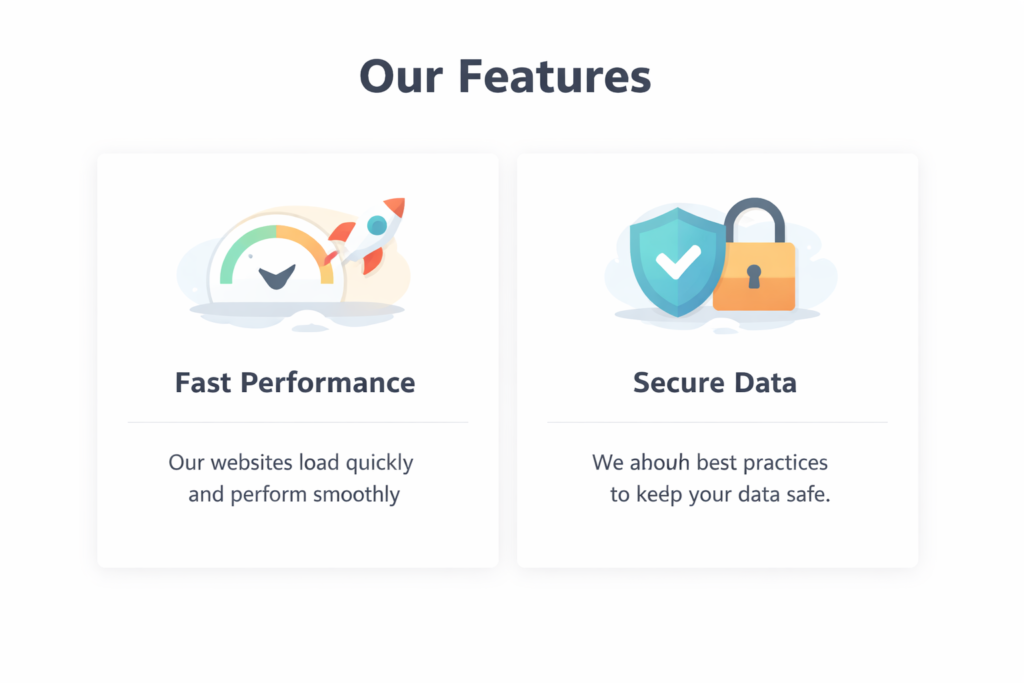
    <h1>Our Features (2 Parts)</h1>
    <div class="flex-container">
        <div class="card">
            <img src="https://via.placeholder.com/300" alt="Fast Performance">
            <h2>Fast Performance</h2>
            <p>Our websites load quickly and perform smoothly for all users.</p>
        </div>
        <div class="card">
            <img src="https://via.placeholder.com/300" alt="Secure Data">
            <h2>Secure Data</h2>
            <p>We follow best practices to ensure your data is always safe and secure.</p>
        </div>
    </div>

    <!-- 3-Part Section -->
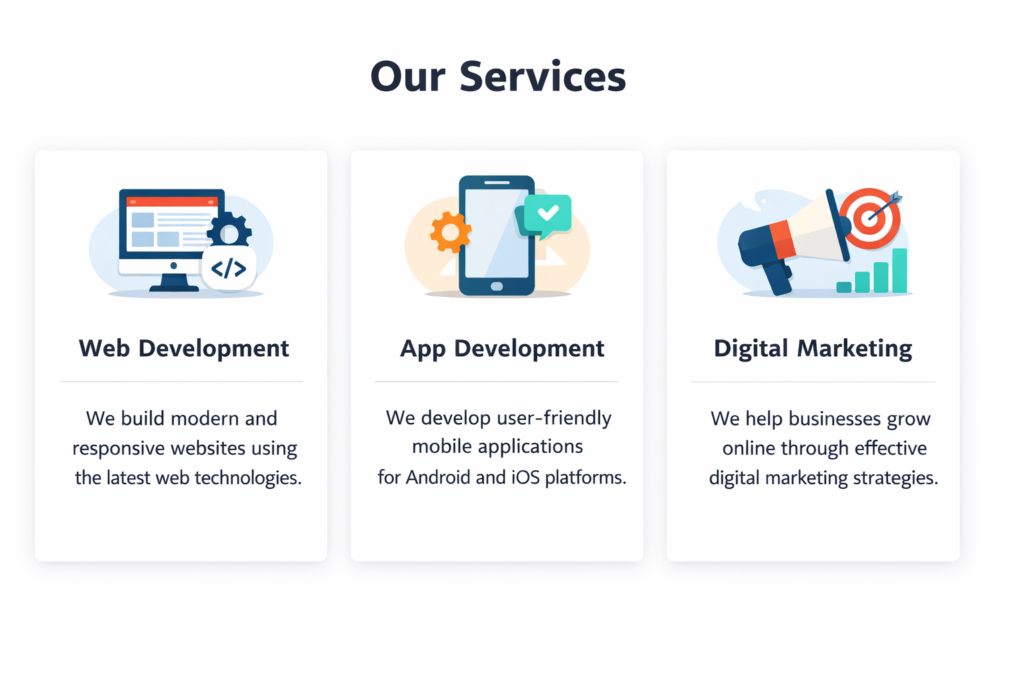
    <h1>Our Services (3 Parts)</h1>
    <div class="flex-container">
        <div class="card">
            <img src="https://via.placeholder.com/300" alt="Web Development">
            <h2>Web Development</h2>
            <p>We build modern, responsive websites using latest technologies.</p>
        </div>
        <div class="card">
            <img src="https://via.placeholder.com/300" alt="App Development">
            <h2>App Development</h2>
            <p>We create mobile applications for Android and iOS platforms.</p>
        </div>
        <div class="card">
            <img src="https://via.placeholder.com/300" alt="Digital Marketing">
            <h2>Digital Marketing</h2>
            <p>We help businesses grow online using effective digital marketing strategies.</p>
        </div>
    </div>

</body>
</html>
