
HTML tags are used to create the structure of a website.
Every website starts with these basic tags.
1. Heading Tags (<h1> to <h6>)
Heading tags are used to display titles and headings on a web page.
<h1>is the main heading<h6>is the smallest heading- Headings help users and search engines understand the page content
Example use:
Website title, section headings
2. Paragraph Tag (<p>)
The paragraph tag is used to display text content in sentence or paragraph format.
- It automatically adds space above and below the text
- Used for descriptions, explanations, and content text
Example use:
About us text, course description, article content
3. Image Tag (<img>)
The image tag is used to display images on a website.
- It does not have a closing tag
- Uses
srcto specify the image path - Uses
altfor image description
Example use:
Logos, banners, product images
4. Anchor Tag (<a>)
The anchor tag is used to create links between pages or websites.
- Uses
hrefto define the link destination - Helps users navigate from one page to another
Example use:
Menu links, social media links, navigation buttons
5. Unordered List Tag (<ul>)
The unordered list tag is used to display a list of items with bullet points.
- Each list item is placed inside the
<li>tag - Used when order is not important
Example use:
Menus, feature lists, bullet points
<!DOCTYPE html>
<html>
<hea>
    <title>My First Website</title>
</head>
<body>

    <!-- Heading Tags -->
    <h1>Welcome to My Website</h1>
    <h2>Learn Web Development</h2>

    <!-- Paragraph Tag -->
    <p>
        This is a simple website created using basic HTML tags.
        HTML is used to build the structure of web pages.
    </p>

    <!-- Image Tag -->
    <img src="https://via.placeholder.com/300" alt="Sample Image">

    <!-- Anchor Tag -->
    <p>
        Visit <a href="https://www.google.com" target="_blank">Google</a> to learn more.
    </p>

    <!-- Unordered List -->
    <h3>Topics You Will Learn:</h3>
    <ul>
        <li>HTML Basics</li>
        <li>CSS Styling</li>
        <li>JavaScript</li>
    </ul>

</body>
</html>

<!DOCTYPE html>
<html>
<head>
    <title>Single Part Section</title>

</head>
<body>
<section>
    <div>
        <!-- Image -->
        <img src="https://via.placeholder.com/300" alt="About Us">

        <!-- Heading -->
        <h2>Who We Are</h2>

        <!-- Paragraph -->
        <p>
            We are a team of passionate developers focused on building real-world web applications.
            Our goal is to help beginners learn practical skills and start their journey in the IT industry with confidence.
        </p>
    </div>
</section>

</body>
</html>
<section>
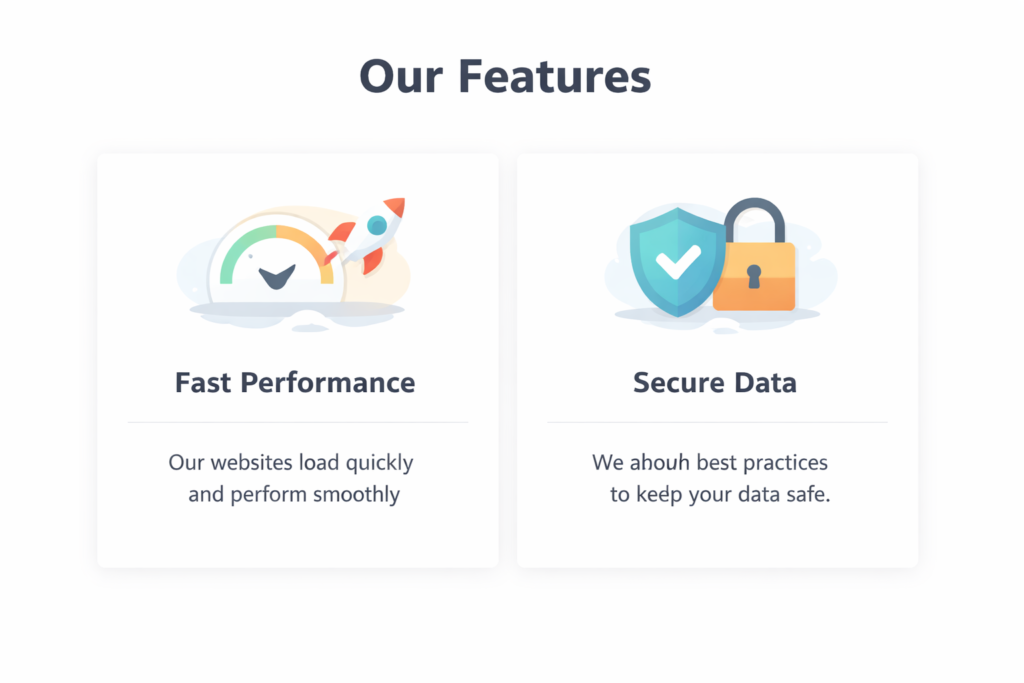
    <h1>Our Features</h1>

    <div>
        <img src="https://via.placeholder.com/150" alt="Fast">
        <h2>Fast Performance</h2>
        <p>Our websites load quickly and perform smoothly.</p>
    </div>

    <div>
        <img src="https://via.placeholder.com/150" alt="Secure">
        <h2>Secure Data</h2>
        <p>We follow best practices to keep your data safe.</p>
    </div>
</section>
<!DOCTYPE html>
<html>
<head>
    <title>Section Example</title>
</head>
<body>

    <!-- Section Heading -->
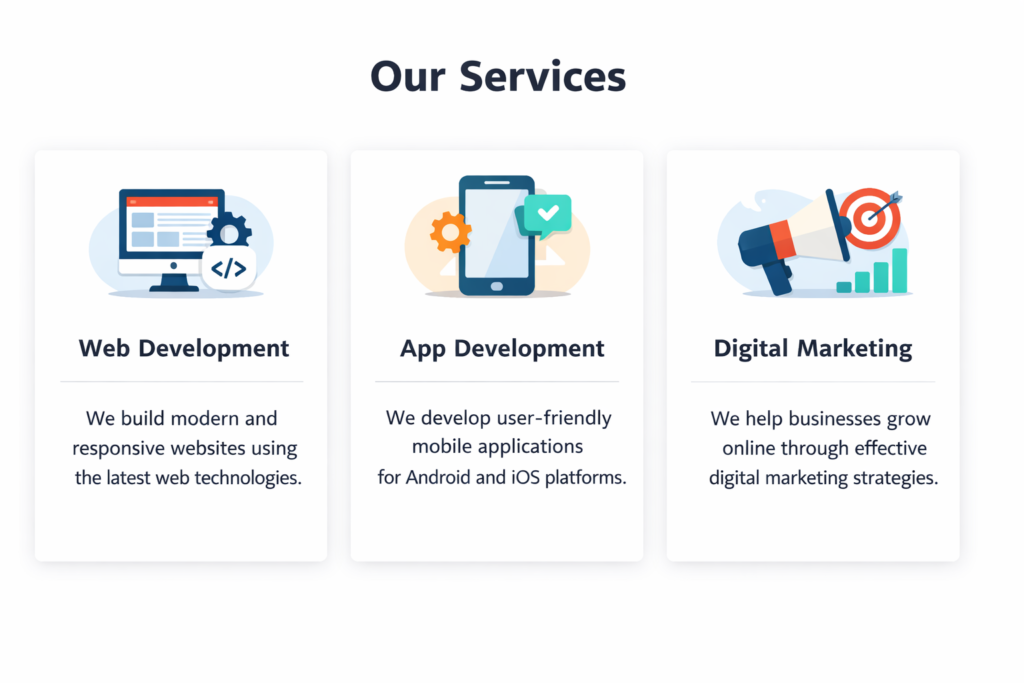
    <h1>Our Services</h1>

    <!-- Section Container -->
    <section>

        <!-- Part 1 -->
        <div>
            <img src="https://via.placeholder.com/150" alt="Web Development">
            <h2>Web Development</h2>
            <p>
                We build modern and responsive websites using the latest web technologies.
            </p>
        </div>

        <!-- Part 2 -->
        <div>
            <img src="https://via.placeholder.com/150" alt="App Development">
            <h2>App Development</h2>
            <p>
                We develop user-friendly mobile applications for Android and iOS platforms.
            </p>
        </div>

        <!-- Part 3 -->
        <div>
            <img src="https://via.placeholder.com/150" alt="Digital Marketing">
            <h2>Digital Marketing</h2>
            <p>
                We help businesses grow online through effective digital marketing strategies.
            </p>
        </div>

    </section>

</body>
</html>
